I’m kickstarting a series where we skip the surface-level “introducing the HTML” content that comprises the first page of search results and instead go straight to what you discover after Ballmer-peaking on StackOverflow answers over a weekend. I want to deep dive into HTML specifics so that you don’t have to. And we’re kicking this off with a banger: Tables
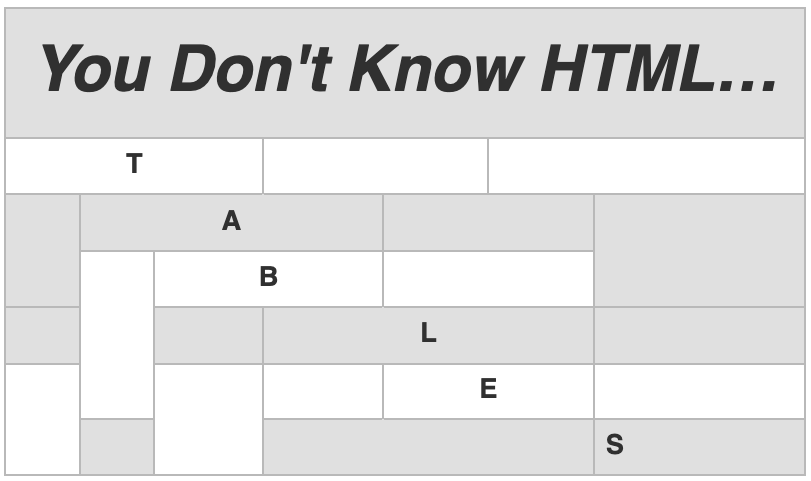
This is not an introduction to HTML tables!
I’m assuming you’ve read those articles already and have some amount of experience writing HTML. (If you are new to HTML and/or tables please check out MDN) What I’m going to be covering in this article is what those other article don’t address:
- The Vocabulary and Parts
- The Table Object Model and API
- Cell Headers and Accessibility
- Extending understanding with Table Headers and Footers
I think covering these four topics will go a long way in terms of maturing our knowledge of HTML tables. If you think you know these things, then skim on through and tell me in the comments what I missed.
Table Vocabulary
All of the table-specific HTML tags fit into six basic categories. Regardless of how complex it is, every HTML table will have you explicitly or implicitly working with these things:
- caption
- row groups
- column groups
- rows
- columns
- cells
It’s important to have this as part of our vocabulary because that’s how we’re going to really know HTML tables.
The Table Parts
Ok, so now that we’re clear on the high-level vocabulary, let’s get into the parts and look where each one fits.
| Tag | Function | Omission | Position |
|---|---|---|---|
| Caption | |||
<caption>
| A heading or legend for the table. | Optional | First |
| Row Group | |||
<thead> |
Collection of rows that has column labels. | Optional. | 3rd. After caption, colgroup. |
<tfoot> |
Collection of rows that has column summaries. | Optional | Last. After any caption, colgroup, thead, tbody, or tr |
<tbody> |
A collection of rows containing data. | Optional. (The table model will implicitly create one) |
4th. After caption, colgroup, thead |
| Column Group | |||
<colgroup> |
A collection of columns | Optional. (But the table model will implictly create one) |
Second. After a caption. |
| Column | |||
<col> |
A representation of one or more columns | Optional. (But the table model will implictly create one) |
Inside a(n implied) colgroup. |
| Row | |||
<tr> |
A collection of cells | Required. | Inside a rowgroup. Or after any caption, colgroup, or thead. |
| Cell | |||
<td> |
Data. | Required. | Must be inside a tr. |
<th> |
Heading for a column, row, columngroup or rowgroup | Optional. | Must be inside a tr |
The Table Model
You know how there’s a document model that represents the whole HTML page (DOM), and a style model that represents the styles (CSSOM)? Did you know that every table has a table model?
As you might guess, the TOM is the result of rendering the parts according to their categories, and it means there’s some interesting ramifications:
- A table is a 2d grid of “slots”
- A cell is a set of slots that’s anchored at a specific position, and it can be a data cell or a header cell
- Cells can be associated with header cells
- That means
thcan be associated withth
- A row is a set of slots on the x axis
- a row is usually a single
tr
- a row is usually a single
- A column is a set of slots on the y axis
- if you don’t define a
col, the column is implied
- if you don’t define a
- Row groups and column groups are effectively ranges of slots
- Neither row groups nor column groups can overlap
- Cells cannot be in slots from different row groups
- Cells can be in slots from different column groups
I’m not going to explain the actual algorithms that the browser has to implement for determining this stuff. But suffice to say…
This is why table markup has a designated order
To avoid possible table model errors, we should always structure our table markup like so:
captioncolgrouptheadtbodytfoot
That’s what the specifications actually say we should do. It helps the parser implement the table model…
And this is also why so many table tags can be ignored:
captiondoesn’t doesn’t need an end tagcolgroupdoesn’t need a start tag if you’ve just plopped a col in thetbodyafter acaptioncolgroupdoesn’t need an end tagtbodydoesn’t need a start tag if you’ve just put atrin thetbodyafter anycaptionorcolgrouptbodydoesn’t need an end tag; either atfootor just closing the table closes it uptr,td,thdon’t need an end tags; a new start tag signals the close of the previous
Which means this lunacy is technically correct:
<table>
<caption>How to emotionally harm an XML validator
<tr>
<th>One
<td>Never close a tag
<th>Two
<td>Repeat
</table>
Which is the worst kind of correct.
And this is also how all those span attributes work
We can put colspan and rowspan on table cells and that allows a cell to go into the next column or the next row. That works on the principle that a table is first a collection of slots, and then some cells assigned to those slots:
rowspan means, “given position x,y, occupy slots y + n slots on the y axis.”
colspan means, “given position x,y, occupy slots x + n slots on the x axis.”
This is also why cells can be in different column groups but not different row groups; it’s because table markup is fundamentally row-oriented. We put our cells in rows, not columns.
Your Table API Primer
So, the browser parses the markup. Next it determines the number of slots the table should have. Then it starts assigning cells to slots. That was never the end of the story.
Remember, the Table Model is an object model. That means that just like the document model and the CSS model, it has an API. A row-oriented API:
| Function | Return / Type | Parameters | |
|---|---|---|---|
| Properties | |||
caption |
The caption element for the table | HTMLElement |
|
tHead |
The thead element for the table | HtmlTableSectionElement |
|
tFoot |
The tfoot element for the table | HtmlTableSectionElement |
|
tBodies |
An iterable collection of table bodies | HTMLCollection |
|
rows |
All of the rows in the table | HTMLCollection |
|
| Methods | |||
createCaption() |
Provides or creates a caption element | HTMLElement |
No Params |
deleteCaption() |
Removes the caption element | HTMLElement |
No Params |
createTHead() |
Creates a table head | HTMLTableSectionElement |
No Params |
deleteTHead() |
Removes the first table head | HTMLTableSectionElement |
No Params |
createTFoot() |
Creates a table footer | HTMLTableSectionElement |
No Params |
deleteTFoot() |
Deletes the first table footer | HTMLTableSectionElement |
No Params |
createTBody() |
Creates a table body | HTMLTableSectionElement |
No Params |
insertRow() |
Inserts a new row into the last tbodyIf the index is given, the row is inserted at that position. Otherwise at the end. |
HTMLTableRowElement |
index=-1. Optional. |
So if you wanted to start using the table API, it could look like this:
const table = document.createElement('table');
const caption = table.createCaption();
caption.innerText = 'My fancy table';

const table.insertRow()
Now. Where we get stuck is that from here we can’t create cells from the table element. Again, that’s because tables are fundamentally row-oriented.
But, before we get to making the cells, let’s get to a lil’ gotcha:
insertRow() is a very predictable wild card
You’re might be wondering where insertRow() …inserts…the row. How does it decide if it’s a thead, a tfoot, or a tbody (and if it’s a tbody, which one since you could have multiple). There’s three basic rules to follow if we use insertRow() from the table element.
- If there are no
HTMLTableSectionElements at all, atbodyis created, and the row is inserted there - If there is an
HTMLTableSectionElement, and it contains atr, then the row is inserted there - If there are multiple
HTMLTableSectionElements with atrthe the last one gets the row
Basically, insertRow() goes by where there’s already a row:
That means that in this case, the row goes into a auto-created tbody:
const table = document.createElement('table');

const thead = table.createTHead();

table.insertRow()
But in this case, the row goes in the just-created thead:
const table = document.createElement('table');

const thead = table.createTHead();
thead.insertRow();

table.insertRow()
Why is this the case?
insertRow()has a default parameter of -1, which means, “put it at the end”insertRow(), at the table level, is going off of therowsproperty which is an HTMLCollection of all the table rows in all theHTMLTableSectionElements
So the real takeaway here is that if we’re building our table with JavaScript and it has any amount of complexity, it’s safer to add our rows from the thead, tbody, or tfoot:
const table = document.createElement('table');

const thead = table.createTHead();
thead.insertRow();

const tbody = table.createTBody();
tbody.insertRow();
HTMLTableSection let you insert rows, and rows let you insertCell()
In my (humble but correct) opinion, this is friggin’ annoying. But it goes back to the fact that tables are fundamentally row-oriented.
We don’t have insertColumn() on a table. Instead, we must instead insertCell() for each of our rows.
const table = document.createElement('table');

const thead = table.createTHead();
thead.insertRow();

const tbody = table.createTBody();
tbody.insertRow();

[...table.rows].forEach(row => {
 const cell = row.insertCell();
});
Similar to insertRow(), insertCell() has an optional parameter that sets the index where the insertion takes place. By default that value is -1, which again means, “at the end”.
So if we wanted to create our own insertColumn() function, it could look like this:
function insertColumn(table, index = -1) {
 if (!table || table.nodeName !== 'TABLE') return;

  if (table.rows.length === 0) table.insertRow(); // just in case there's no rows yet
  const column = [];

  [...table.rows].forEach(row => {
    column.push(row.insertCell(index));
  });

  return column;
}
There is no insertHeaderCell() option
Also in my humble (but still correct) opinion, this is just as annoying. insertCell() only creates a td element for us.
Which is cool and all, but we’re grownups and we like to make good God-fearing accessible tables with column headings.
That means we’re going to have to make our own function:
function insertHeaderCell(row, index = -1) {
  if (!row || row.nodeName !=='TR') return;
  const {cells} = row;

  const headerCell = document.createElement('th');

  if (index === -1) {
    row.appendChild(headerCell);
  } else if (index > cells.length) {
    return; // specs say this should be an IndexSizeError DOMException
  } else {
    row.insertBefore(headerCell, cells[index])
  }

  return headerCell;
}
Part of the reason I think this is annoying but not dumb is because table rows have a cells property. And that cells property does not distinguish between th and td.
So regardless of insertHeaderCell() or insertColumn(), we get the correct number of cells
const table = document.createElement('table');

const thead = table.createTHead();
const tbody = table.createTBody();

const tbodyRow = tbody.insertRow();
const theadRow = thead.insertRow();

// we've created a TH in each row
insertHeaderCell(theadRow);
insertHeaderCell(tbodyRow);

// then we made a column
insertColumn(table);

// and the cells property DGAF that they're different
console.log(tbodyRow.cells); // 2
console.log(theadRow.cells); // 2
In an ideal world, HTMLTableRowElement would have insertHeaderCell() or we’d have an optional second parameter on insertCell() that signaled that we wanted a header cell.
Instead, we have to create our own function that combines this:
function insertCell(row, index = -1, isHeader = false) {
  if (!row || row.nodeName !=='TR') return;

  const cell = isHeader ? insertHeaderCell(row, index): row.insertCell(index);

  return cell;
}
And that means that in order for our insertColumn() function to be a good boy who inserts the correct kinds of cells, it needs to be updated, too. So we actually have this:
function insertHeaderCell(row, index = -1) {
  if (!row || row.nodeName !=='TR') return;
  const {cells} = row;

  const headerCell = document.createElement('th');

  if (index === -1) {
    row.appendChild(headerCell);
  } else if (index > cells.length) {
    return; // specs say this should be an IndexSizeError DOMException
  } else {
    row.insertBefore(headerCell, cells[index])
  }

  return headerCell;
}

function insertCell(row, index = -1, isHeader = false) {
  if (!row || row.nodeName !=='TR') return;

  const cell = isHeader ? insertHeaderCell(row, index): row.insertCell(index);

  return cell;
}

function insertColumn(table, index = -1, isHeader = false) {
 if (!table || table.nodeName !== 'TABLE') return;

 if (table.rows.length === 0) table.insertRow(); // just in case there's no rows yet
 const column = [];

  [...table.rows].forEach(row => {
    column.push(insertCell(row, index, isHeader));
  });

  return column;
}
We don’t need to create a deleteHeaderCell() or deleteCell() function
deleteCell() is indiscriminate; it doesn’t care if it’s a th or a td.
That’s at least nice because it doesn’t take much to write a deleteColumn() function:
function deleteColumn(table, index) {
 if (!table || table.nodeName !== 'TABLE') return;

  [...table.rows].forEach(row => {
    row.deleteCell(index);
  });
}
We only need a few helpers to work with the Table API
We have those two fickle limitations of
- Can’t insert a column
- Can’t make a
thcell
And to work with those challenges, we need four functions to at least stub out the shape of a table from the API:
function insertHeaderCell(row, index = -1) {
  if (!row || row.nodeName !=='TR') return;
  const {cells} = row;

  const headerCell = document.createElement('th');

  if (index === -1) {
    row.appendChild(headerCell);
  } else if (index > cells.length) {
    return; // specs say this should be an IndexSizeError DOMException
  } else {
    row.insertBefore(headerCell, cells[index])
  }

  return headerCell;
}

function insertCell(row, index = -1, isHeader = false) {
  if (!row || row.nodeName !=='TR') return;

  const cell = isHeader ? insertHeaderCell(row, index): row.insertCell(index);

  return cell;
}

function insertColumn(table, index = -1, isHeader = false) {
 if (!table || table.nodeName !== 'TABLE') return;

 const column = [];

  [...table.rows].forEach(row => {
    column.push(insertCell(row, index, isHeader));
  });

  return column;
}

function deleteColumn(table, index) {
 if (!table || table.nodeName !== 'TABLE') return;

  [...table.rows].forEach(row => {
    row.deleteCell(index);
  });
}
You can’t extend HTMLTableElement by the way
You were probably thinking, “Oh, four functions. I’ll just make a web component that extends a table.”
class BetterTable extends HTMLTableElement {
  constructor() {
    super();
  }
}

window.customElements.define('better-table', BetterTable, {extends: 'table'});
That doesn’t work, though.
It doesn’t work because you can’t extend HTMLTableElement. If you want to make a web component with this extended functionality, you need to extend a div that wraps the table.
I know what you’re thinking, and I agree: that’s annoying.
The Cell Header: <th>
Ok, enough about the API and JavaScript. Let’s dive into the markup and some semantics.
Building tables isn’t just about columns of data. It’s also about labeling those columns and rows with the <th> element. Users need to understand what the data is all about. So we need to talk about how cell headers act as labels for our data.
Cell headers have scope
A table cell header has one of four scopes:
column: auto* “given position x,y, label slotsy + nslots on the y axis”row: auto*. “given position x,y, label slotsx + nslots on the x axis”columngroup: “given position x,y, label slotsy + nandy + nuntil the end of the column group”rowgroup: “given position x,y, label slotsy + nandy + nuntil the end of the row group”
It can only have one scope at a time, though. So be thoughtful about when you’re gonna put a scope attribute on a table header (oh, and it only goes on a <th>, never a <td>!)
Give a cell header a scope when it needs it
If the cell header is at the very top of a column, or the far left of a row, we probably don’t need to think about scope.
But in all other circumstances, we should think about scope.
Here’s a breakdown:
If the header cell labels…
- All the cells below it, leave it alone
- All the cells to the right of it, leave it alone
- All the cells to its left and right, give it a scope of
row - All the cells to its right, and all the cells below those, give it a scope of
rowgroup - Some of the cells to its right, and all of the cells below those, give it a scope of
columngroup
Let’s look at some examples.
Labeling cells below (default scope)
We don’t have to think about scope here. The header cells are at the top.
| Old Norse | Swedish |
|---|---|
| Nei | Nej |
| já | ja |
| bjorn | bjorn |
Labeling cells to the right (row scope)
We also don’t need to think about scope here. The header cells are the left-most in the rows.
| No | Nei | Nej |
|---|---|---|
| Yes | já | ja |
| bear | bjorn | bjorn |
Labeling all the cells right and below (rowgroup scope)
Here’s a case where we need to think about scope. Because “North Germanic” is labeling everything to the right and below it. That “North Germanic” <th> has scope="rowgroup". So it’s labelling Old Norse, Swedish, já, ja, and nei. It is not labeling the ISO column’s “non” or “se”.
There’s still other header cells, though, and they’re still also labeling.
| ISO | Germanic | yes | no |
|---|---|---|---|
| North Germanic | |||
| non | Old Norse | já | nei |
| se | Swedish | ja | nei |
Labeling Some of the cells right, and all down below (colgroup scope)
Here’s another case where we need to think about scope. It’s because North Germanic is labeling two columns, and “words” is labeling three.
So the North Germanic <th> has scope="colgroup", and so does the “words” <th>
This is a pretty edge-case example; the HTML specs don’t even have an example of colgroup scope! If you inspect the markup you’ll see that I’ve actually used the <col> and <colgroup> elements; that’s a necessary step if you’re going to limit the column group scope since all tables have 1 colgroup by default.
| ISO | Language | |||
|---|---|---|---|---|
| North Germanic | words | |||
| non | Old Norse | já | nei | bjorn |
| se | Swedish | ja | nei | bjorn |
We should give our cells headers when we need it
While the scope attribute is a generic one-to-many option, it’s not the only option.
You can also directly associate a cell to its header through a combo of the headers attribute and an id attribute. In this approach, you need to give every header cell a unique ID. And then on your <td> or <th>, they need a headers attribute that uses that unique ID or IDs.
Le’ts merge two of our previous tables together so we can see where this gets useful.
<table>
	<tbody>
		<tr>
			<th id="en">English</th>
			<th id="non">Old Norse</th>
			<th id="se">Swedish</th>
		</tr>
		<tr>
			<th headers="en" id="no">No</th>
			<td headers="non no">Nei</td>
			<td headers="se no" >Nej</td>
		</tr>
		<tr>
			<th headers="en" id="yes">Yes</th>
			<td headers="non yes">já</td>
			<td headers="se yes">ja</td>
		</tr>
		<tr>
			<th headers="en" id="bear">Bear</th>
			<td headers="non bear">bjorn</td>
			<td headers="se bear">bjorn</td>
		</tr>
	</tbody>
</table>
| English | Old Norse | Swedish |
|---|---|---|
| No | Nei | Nej |
| Yes | já | ja |
| Bear | bjorn | bjorn |
Take note that order matters in the headers; it will affect the order in which the labels are read to the user. So be sure and be consistent.
Do we get the same labeling / accessibility effects with the scope attribute as we do headers?
Yes you do*. These are two ways for doing the same thing: associating a header cell with a data cell.
If the table (like the one above) seems to have really obvious scope, do we need to use the scope attribute?
When it’s a “normal” looking table, chances are high you don’t need to explicitly add any scope attributes.
In the example I’ve provided, you could just leave everything alone and the algorithm for determining scope would work just fine; no attributes needed.
If scope and headers do the same thing*, and they aren’t always needed, then when would we use headers?
The scope attribute sits on the header cells; it’s a label-to-data relationship. It’s a one-to-many relationship.
But the headers approach sits on data cells; it’s a data-to-label relationship. It’s a one-to-some relationship.
I think headers is really good for developers because it involves making very explicit relationships between cells and their headers. If a table is generated from JSON, you can use the headers=[id,id] relationship to communicate how one property is connected to another as well as the priority of those relationships.
Also, think about the likelihood that this HTML table is going to be scraped or parsed into some other data format. Being explicit about the relationships data cells have to their headers is good for those tools because they can preserve those relationships and interpret the data with the correct intent.
Can I put a value in a headers attribute for a header cell that isn’t in that cell’s row or column?
One thing you can theoretically do with headers and IDs that you can’t do with ol’ scope is assign a label that’s not in the data cell’s x or y axis:
| English | Old Norse | Swedish |
|---|---|---|
| No | Nei | Bear |
| Yes | já | ja |
| Nej | bjorn | bjorn |
The HTML specs neither condone nor prohibit this. I can tell you from experimenting with Mac’s VoiceOver that it has no problem with this; it will announce the correct label for that cell.
In general I wouldn’t recommend it because visually it’s confusing.
Think about scope with your <th>
- It’s automatically set if it’s first in the column or row
- But the
scopeattribute is a one-to-many relationship you can set on the header cell - And the
headers+idis a one-to-some relationship you can set from the data cell - But don’t forget there’s always the “everything” option that comes with
rowgrouporcolgroup
There’s a lot that goes into figuring out how that lil’ cell header is labeling your cell data. Label your data with intent.
Extending understanding with THead and TFoot
Not every table needs a table header or a a table footer. But some tables will benefit from having one or both. We should use these row group elements when your data has data. And let’s remember this one thing:
While we can have multiple tbody, we can only have one thead or tfoot
Use your thead for labeling columns and introducing data
When a column of data needs a name, we put that name at the top of the column. That’s how we label our columns. We don’t need a table header for that, but it’s nice:
First, let’s look at this example without a thead:
<table>
  <tbody>
    <tr>
      <th>Old Norse</th>
      <th>Swedish</th>
    </tr>
    <tr>
      <td>Nei</td>
      <td>Nej</td>
    </tr>
    <tr>
      <td>já</td>
      <td>ja</td>
    </tr>
    <tr>
      <td>bjorn</td>
      <td>bjorn</td>
    </tr>
  </tbody>
</table>
There’s nothing wrong with how this is done. But a better and more semantically appropriate version would be this:
<table>
  <thead>
    <tr>
      <th>Old Norse</th>
      <th>Swedish</th>
    </tr>
  </thead>
  <tbody>

    <tr>
      <td>Nei</td>
      <td>Nej</td>
    </tr>
    <tr>
      <td>já</td>
      <td>ja</td>
    </tr>
    <tr>
      <td>bjorn</td>
      <td>bjorn</td>
    </tr>
  </tbody>
</table>
Visually, they’ll be very similar:
| Old Norse | Swedish |
|---|---|
| Nei | Nej |
| já | ja |
| bjorn | bjorn |
| Old Norse | Swedish |
|---|---|
| Nei | Nej |
| já | ja |
| bjorn | bjorn |
The visual differences that you’re observing are because I have CSS that makes cells in the <thead> bigger and have a heavier font-weight.
This, in fact, is another good reason to use the <thead>: it gives you a basic CSS selector for targeting column headers!
Making the font-size a bit bigger in my CSS is just a matter of:
thead {
    --tableHeaderSize: var(--tableColHeaderSize);
    --tableCellSize: var(--tableBiggerTextSize);
}
What can we put in a thead?
Your thead is just like a tbody:
- It has to have a row (
<tr>), - And the row can have either
<th>or<td>, - And you can have more than one row.
The thead is also where we put the column headers for our column headers
Here are two big clues that we should be using a thead:
- Our column headers also have a column header
- Our column headers have
colspan
 <thead>
    <tr>
      <td></td> <!-- an empty spot isn't a <th>, it's a <td> -->
      <th colspan="2" id="north-germanic">North Germanic</th>
      <th colspan="2" id="west-germanic">West Germanic</th>
      <th colspan="4" id="latin">Latin</th>
    </tr>
    <tr>
      <th id="modern-english">Modern English</th>
      <th id="old-norse" headers="north-germanic germanic">Old Norse</th>
      <th id="swedish" headers="north-germanic germanic">Swedish</th>
      <th id="old-english" headers="west-germanic germanic">Old English</th>
      <th id="old-dutch" headers="west-germanic germanic">Old Dutch</th>
      <th id="french" headers="latin italic">French</th>
      <th id="spanish" headers="latin italic">Spanish</th>
      <th id="portuguese" headers="latin italic">Portuguese</th>
      <th id="catalan" headers="latin italic">Catalan</th>
    </tr>
  </thead>
That would be useful for showing a table like this:
| Germanic | Italic | |||||||
|---|---|---|---|---|---|---|---|---|
| North Germanic | West Germanic | Latin | ||||||
| Modern English | Old Norse | Swedish | Old English | Old Dutch | French | Spanish | Portuguese | Catalan |
| No | Nei | Nej | Ná | Nein | Non | No | não | No |
| Yes | já | Ja | Gea | Ja | Oui | Si | sim | sí |
| Bear | Bjorn | bjorn | bera | beer | Ours | Oso | Urso | ós |
Right-click and inspect element on a table cell and take note of my decision to use the headers + id approach for labeling my cells. Every cell communicates with abundant clarity its relationship to the various labels it has. This isn’t the primary purpose of the approach — but it certainly is a bonus feature. The real feature here is that I’m communicating the order in which I want these labels to be read to a user.
Keep in mind some other things for setting up your complex table headers:
- If for some reason you’re going to have an empty cell, that should be a
<td> - You can also have data cells in the table headers!
The thead is also where we put any bonus information for our columns
Let’s keep in mind that a table head doesn’t just have to have table headers. It can also have table cells! We can put plain ol’ data there so long as it applies somehow to the column data.
Let’s say we wanted some kinda…tangential or commentary-like content for a few columns. The thead is where we put that:
  <thead>
    <tr>
      <td></td>
      <th colspan="4" id="germanic">Germanic</th>
      <th colspan="4" id="italic">Italic</th>
    </tr>
    <tr>
      <td></td>
      <th colspan="2" id="north-germanic" headers="germanic">North Germanic</th>
      <th colspan="2" id="west-germanic" headers="germanic">West Germanic</th>
      <th colspan="4" id="latin" headers="italic">Latin</th>
    </tr>
    <tr>
      <td></td>
      <td colspan="2" headers="germanic">Spoken by approx 20 million people</td>
      <td colspan="2" headers="germanic">Spoken by approx 490 million people (b/c of English) </td>
      <td colspan="4" headers="italic">Spoken by approx 890 million people</td>
    </tr>
    <tr>
      <th id="modern-english">Modern English</th>
      <th id="old-norse" headers="north-germanic germanic">Old Norse</th>
      <th id="swedish" headers="north-germanic germanic">Swedish</th>
      <th id="old-english" headers="west-germanic germanic">Old English</th>
      <th id="old-dutch" headers="west-germanic germanic">Old Dutch</th>
      <th id="french" headers="latin italic">French</th>
      <th id="spanish" headers="latin italic">Spanish</th>
      <th id="portuguese" headers="latin italic">Portuguese</th>
      <th id="catalan" headers="latin italic">Catalan</th>
    </tr>
  </thead>
| Germanic | Italic | |||||||
|---|---|---|---|---|---|---|---|---|
| North Germanic | West Germanic | Latin | ||||||
| Spoken by approx 20 million people | Spoken by approx 490 million people (b/c of English) | Spoken by approx 890 million people | ||||||
| Modern English | Old Norse | Swedish | Old English | Old Dutch | French | Spanish | Portuguese | Catalan |
| No | Nei | Nej | Ná | Nein | Non | No | não | No |
| Yes | já | Ja | Gea | Ja | Oui | Si | sim | sí |
| Bear | Bjorn | bjorn | bera | beer | Ours | Oso | Urso | ós |
Our table header is for introducing the data. It’s there to get the user ready to read.
Use tfoot is for summarizing columns, and closing thoughts
When a column of data (or a few columns) have some sort of meaningful conclusion, it belongs in the table footer.
The easiest example would be to imagine the kinds of things we might do in a spreadsheet. If we’ve got some series of numbers and we want to do something at the end of that series, then let’s use a table footer for that:
<table>
	<thead>
		<tr>
			<th id="lang">Language</th>
			<th id="speakers">speakers</th>
		</tr>
	</thead>
	<tbody>
		<tr>
			<th>Spanish</th>
			<td>635.7 Million</td>
		</tr>
		<tr>
			<th>French</th>
			<td>321 Million</td>
		</tr>
		<tr>
			<th>Catalan</th>
			<td>8.3 Million</td>
		</tr>
		<tr>
			<th>Portuguese</th>
			<td>239 Million</td>
		</tr>
	</tbody>
	<tfoot>
		<tr>
			<th id="total">Total Speakers</th>
			<td headers="total">1.204 Billion</td>
		</tr>
	</tfoot>
</table>
| Language | speakers |
|---|---|
| Spanish | 635.7 Million |
| French | 321 Million |
| Catalan | 8.3 Million |
| Portuguese | 239 Million |
| Total Speakers | 1.204 Billion |
Our tfoot goes at the end of the table
The HTML specs used to say that we were supposed to put it after the thead and before the tbody. This was bad for accessibility and a nightmare for rendering (because the browser had to render it at the end even though it wasn’t).
So that’s changed now. We now put tfoot at the bottom. Where feet go. So that’s nice.
Our tfoot is also for conclusions
It’s easy to think of how tfoot is the formula row for all of our columns. But that doesn’t have to be it! Any sort of discovery or conclusion belongs in the tfoot.
What if you just noticed that a bunch of words have something in common? That’s a job for tfoot!
Suppose we have a table of words in language families and we wanted to show the consonants and vowels at the end. A table footer for that could look like this:
	<tfoot>
		<tr>
			<th>Consonants</th>
			<td colspan=2>n, b, j, r</td>
			<td colspan=2>n, b, ɡ,  j, </td>
			<td colspan=4>n, s, m, r</td>
		</tr>
		<tr>
			<th>Vowels</th>
			<td colspan=2>e, i, o</td>
			<td colspan=2>ɑ, e, i</td>
			<td colspan=4>ʌ, i, o, æ </td>
		</tr>
	</tfoot>
So our full table might look like this:
| North Germanic | West Germanic | Latin | ||||||
|---|---|---|---|---|---|---|---|---|
| Modern English | Old Norse | Swedish | Old English | Old Dutch | French | Spanish | Portuguese | Catalan |
| No | Nei | Nej | Ná | Nein | Non | No | não | No |
| Yes | já | Ja | Gea | Ja | Oui | Si | sim | sí |
| Bear | Bjorn | bjorn | bera | beer | Ours | Oso | Urso | ós |
| Consonants | n, b, j, r | n, b, ɡ, j, | n, s, m, r | |||||
| Vowels | e, i, o | ɑ, e, i | ʌ, i, o, æ | |||||
Our table footer is for telling the user what the table told them.
Do we know tables now?
Well… we know more. We’ve talked about:
- The vocabulary terms specific to an HTML table like
- row,
- column,
- row group,
- and column group
- The Table API and how we can add and remove
- table headers, footers, and bodies
- rows, and cells in rows
- columns with just a wee bit o’ effort
- Labeling data with header cells through
- implicit scope,
- the
scopeattribute - the
headersattribute
- The semantic options to have data for our data like
- a thead for telling the user what you’re gonna tell them,
- and a tfoot for telling the user what the data told them
But, that still isn’t all there is to know about tables. Some of the stuff I haven’t really discussed includes:
rowspanandcolspanattributes- and how
colspanhas a limit of 1000, - but
rowspancaps you out at 65534
- and how
<col>and<colgroup>- and now
<colgroup>doesn’t need any child<col>elements so long as you give it aspanattribute- but you have a limit of 1000 on that span
- How
<col>and<colgroup>are really only good for just a handful of CSS properties likebackground,border,border-collapse,visibility,- and
width
- and now
- The fact that the specifications are ok with using a table to layout forms, but not anything else
At the very least, now we can say that we know what we don’t know about HTML Tables.
Sources and Whatnots
- The HTML specification for tables was my primary source. There’s only 13 sections to the “tabular data” document and it covers a lot of complexity.
- The MDN section on tables is also a great and more “written for ordinary folks” explanation of tables.
- WCAG has a variety of table techniques, such as using scope that are also very good explanations
Permalink
We need to change the name to Ballmermaxxing to keep up with the times. Thanks for teaching me something new!